INDUSTRIAL AI · TROUBLESHOOTING · COMPUTER VISION
AI Pedestrian Detection False Alarms: Causes, Testing & Fixes
An industrial human-detection system can look accurate in a demo and still produce nuisance alarms on a real factory floor. This guide shows how to diagnose false positives, missed people, unstable boxes and PLC alarm chatter systematically instead of changing random AI settings.
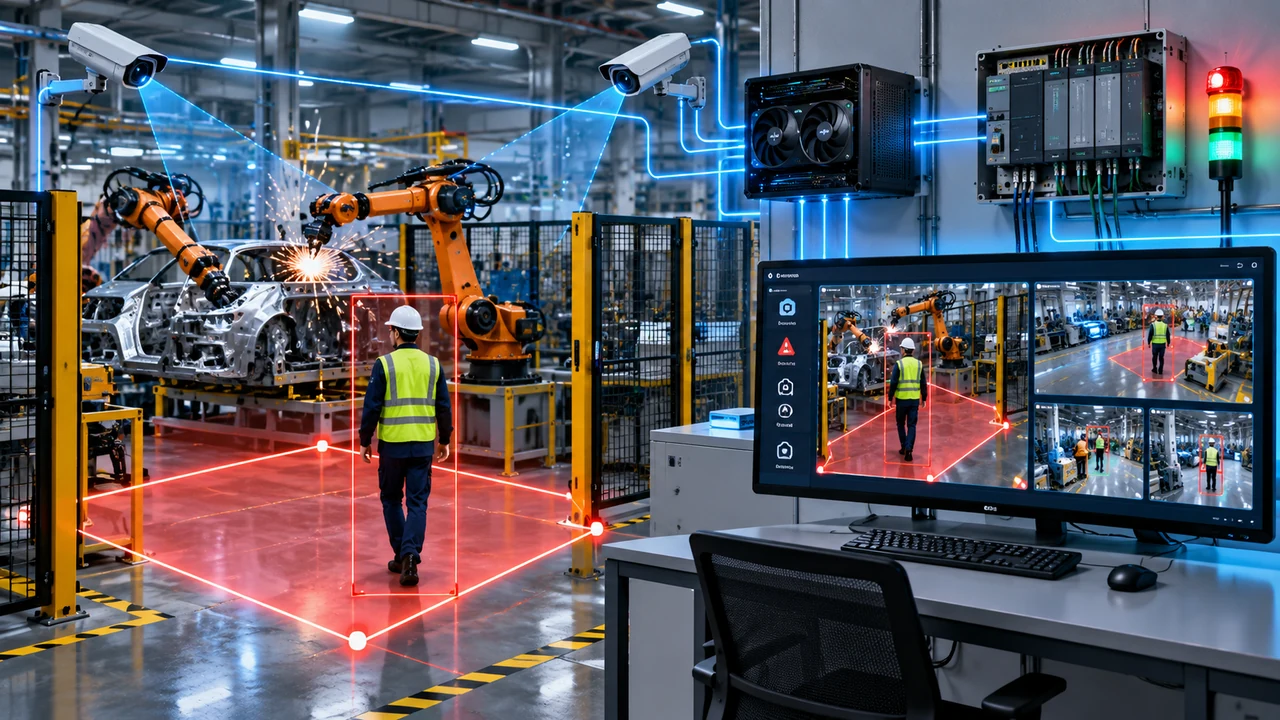
Quick answer
If an AI pedestrian detection camera produces too many false alarms, do not start by blindly increasing the confidence threshold. First separate the problem into five layers: scene quality, camera geometry, detection model, temporal logic and control integration. A shadow or insect problem needs a different fix from duplicate tracking, an ROI mistake or a PLC output that remains latched too long.
A practical sequence is: record the failure → identify what the model actually saw → check camera image quality → check ROI boundaries → check confidence and tracking → check confirmation/cooldown logic → validate the PLC output independently. This keeps tuning measurable and prevents one fix from creating another failure.
False positive vs false alarm: they are not always the same problem
In industrial vision, a false positive means the detector classified something as a person when no relevant person was present. A false alarm is broader: the final system generated an alarm, stop request or event when it should not have.
That distinction matters. The AI model may correctly detect a worker outside the danger zone, but if the ROI is configured incorrectly the system can still create a false alarm. Likewise, the AI can produce a one-frame false person box that never becomes an alarm if the confirmation logic is designed well.
| Symptom | Likely layer | First check |
|---|---|---|
| Person box appears on a shadow or object | Image/model | Lighting, contrast, confidence and training examples |
| Real person detected but should not alarm | ROI/logic | Zone geometry and foot-point logic |
| Box flickers on and off | Detection/tracking | Occlusion, frame quality, tracker configuration |
| Alarm stays ON after person leaves | Application/PLC | Release timer, state reset and communication logic |
| Correct detection but delayed output | Pipeline/confirmation | Inference latency, buffering and confirmation timer |
1. Shadows, glare and changing illumination
Lighting changes are one of the most common reasons an AI camera behaves differently in production than during commissioning. Strong shadows can form human-like vertical shapes. Headlights, welding flashes, reflective floors and direct sunlight can temporarily destroy contrast or create bright edges.
Axis documents that inadequate light, direct light and noisy images can delay or reduce object detection, and it also lists strong-light shadows as a possible false-alarm source. The practical lesson is simple: evaluate the analytics image, not only whether the video looks acceptable to a human operator.
What to do
- Record the same ROI in morning, afternoon and night conditions.
- Check backlight and glare at the exact moment false alarms occur.
- Reduce extreme exposure swings where possible.
- Use stable scene illumination rather than relying only on light close to the camera.
- Create test clips that include the worst lighting condition and use them for every future model/configuration update.
2. Insects, rain, dust and objects close to the lens
A tiny object close to a camera can occupy a large percentage of the image. Insects around infrared illumination, water drops, spider webs, dust and debris can therefore create shapes or motion that are disproportionately large compared with the real scene.
Axis specifically warns that insects or spiders near IR-equipped cameras and combinations such as headlights plus heavy rain can trigger false alarms in object analytics. In a factory, welding smoke, oil mist or moving hanging material can create a similar challenge.
Fix strategy
- Inspect the physical lens and housing before changing AI thresholds.
- Compare daytime and IR/night behavior separately.
- Mask areas that contain unavoidable moving chains, cables, fans or curtains.
- Use a short temporal confirmation rule so a single unstable frame does not immediately trigger the control output.
3. Camera angle makes the person too small or too distorted
Mounting geometry can make a good detector look bad. A very steep overhead view reduces visible body shape. Extreme perspective can make far-away people only a few pixels tall. Strong lens distortion near the image edge can also change the apparent proportions of the person.
Axis recommends mounting with the analytics scene in mind and notes that an excessively top-down view can make classification difficult. It also points out that detection distance depends on the lens, light, environment and object size.
Commissioning check
Walk a person through the nearest, center and farthest points of the ROI. Repeat near edges and behind typical obstacles. If the farthest target is unstable, increasing the confidence threshold will usually make the missed-detection problem worse.
4. Partial occlusion creates unstable or incorrect classifications
People working behind machines, pillars, racks, vehicles or welding fixtures may be visible only as a head, torso or narrow body segment. Partial objects can also resemble another class. This is especially difficult when the detector sees only a thin vertical region emerging from behind equipment.
Instead of treating every occlusion issue as a model failure, first ask whether another camera angle can provide a clearer view. Multi-camera coverage is often more robust than expecting one camera to see through a complex industrial scene.
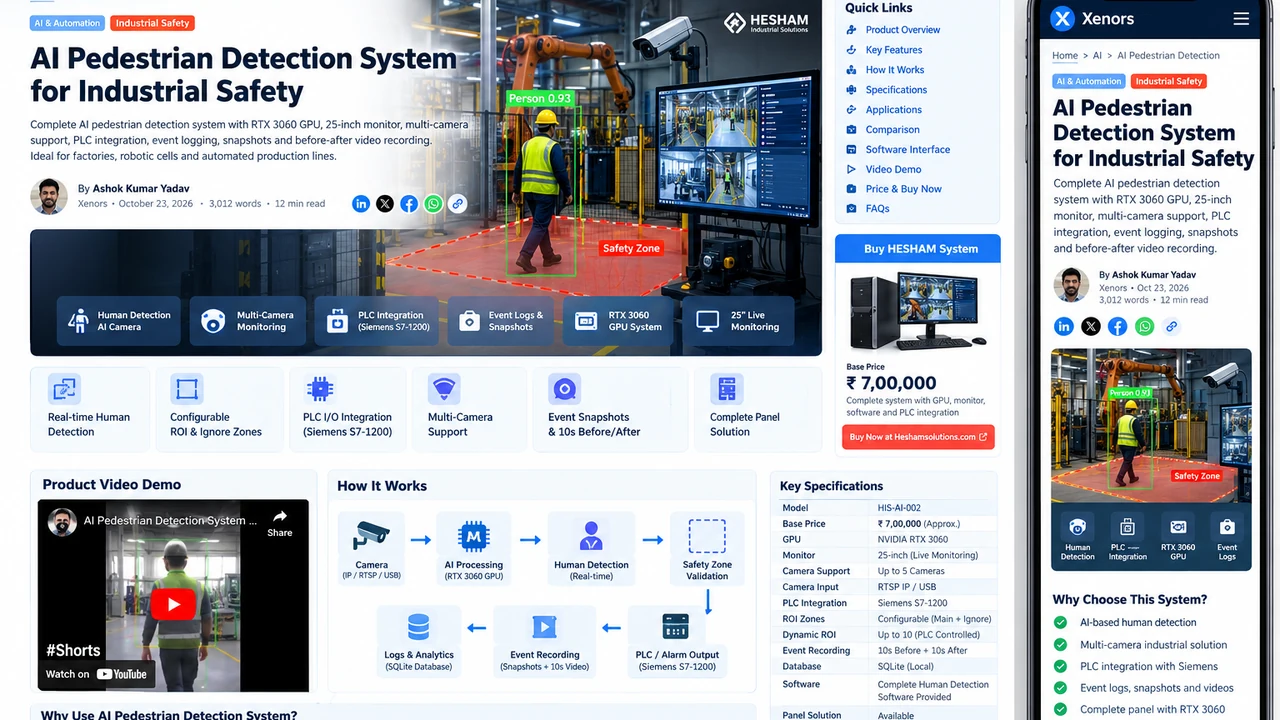
For system-level architecture, see the AI pedestrian detection system guide, which explains ROI, multi-camera monitoring, event recording and PLC integration.
5. ROI boundaries include irrelevant motion
A detector can be perfectly correct and still create nuisance alarms if the configured detection polygon includes a public walkway, door, reflection, monitor, moving machine part or adjacent lane.
The most robust industrial approach is to define the ROI around the actual hazard decision area, not the entire camera image. If your application uses a foot-point rule, the person's feet or bottom-center point should be evaluated against the polygon rather than simply asking whether any part of the bounding box overlaps it.
ROI test cases
- Walk directly through the middle of the zone.
- Walk exactly along each polygon edge.
- Stand just outside the zone.
- Move behind a machine while still partly visible.
- Test two people simultaneously, one inside and one outside.
- Test a person crossing quickly through a narrow corner of the ROI.
6. Confidence threshold is too low—or too high
Confidence is one of the first settings engineers change, but it should be treated as a measured trade-off. A threshold that is too low can allow weak false detections. A threshold that is too high can suppress difficult but genuine people, especially small, partially hidden or poorly illuminated targets.
NVIDIA's DeepStream accuracy guidance describes minimum detector confidence as one way to filter lower-confidence false detections, while also emphasizing that tracking and other parameters affect the overall accuracy-performance balance.
A better threshold tuning method
- Collect true-positive clips from easy and difficult positions.
- Collect false-positive clips from the actual site.
- Log detector confidence for both groups.
- Plot or compare the overlap between true and false confidence values.
- Choose the lowest threshold that removes a useful fraction of false detections without creating unacceptable misses.
- Retest after every model update.
Never tune only on one clean test video. Factory lighting, clothing, occlusion and motion change throughout the shift.
7. One-frame detections are reaching the alarm output
A single frame should rarely be enough to make a high-consequence industrial decision. Compression artifacts, brief occlusion, reflections or a transient model error can create a box for just one or two frames.
A confirmation timer or multi-frame rule can suppress these events. For example, instead of triggering the alarm immediately, require a valid person in the ROI for a short continuous period or for a defined number of recent frames.
| Rule | Benefit | Risk |
|---|---|---|
| Immediate trigger | Lowest latency | Most sensitive to one-frame false positives |
| Consecutive-frame confirmation | Rejects brief detection noise | Latency depends on FPS and frame processing |
| Time-based confirmation | Easy to understand in milliseconds/seconds | Must account for stream/inference delay |
| Tracker-confirmed object | Uses temporal consistency | Tracker parameters can introduce their own failure modes |
Do not pick a confirmation delay just because it “feels stable.” Measure total camera-to-output latency after the timer is added.
8. Duplicate boxes and tracker instability
When detector boxes vary rapidly, a tracker may create duplicate identities or repeatedly activate and terminate a target. That can cause repeated alarms even though one person is standing in one place.
NVIDIA's tracker documentation describes controls such as minimum detector confidence, target candidacy and probation/early-termination behavior that can suppress spurious targets. The exact parameters depend on the tracker you use, but the engineering principle is universal: do not treat every new rectangle as a new person event.
Useful logs
- track ID
- class
- detector confidence
- tracker confidence if available
- ROI state
- first seen time
- confirmation time
- alarm ON time
- alarm OFF time
These fields make it much easier to distinguish “AI detected twice” from “PLC output toggled twice.”
9. Stream buffering creates delayed detections and stale alarms
An RTSP stream can continue delivering old buffered frames after network jitter or processing slowdown. The operator may see a person has already left while the AI pipeline is still processing earlier frames.
A robust system should track frame age or timestamps and reject stale frames rather than treating them as current reality. Camera reconnect logic should also clear stale detection state when a stream is lost.
Check these timestamps separately
- camera frame timestamp
- frame received time
- inference completion time
- detection confirmed time
- PLC command time
The difference between them reveals whether the delay comes from the camera, network, inference queue, confirmation logic or PLC communication.
10. Alarm cooldown and release logic are wrong
A cooldown prevents repeated voice alarms or event snapshots, but it should not be confused with the actual safety/detection state. If cooldown logic is mixed with detection logic, the system may fail to re-alarm when a new person enters or may keep an output ON longer than intended.
Use separate states for:
- person currently present
- alarm/event already announced
- snapshot cooldown
- voice repeat timer
- PLC output state
This state separation is especially important in multi-camera systems where one camera can clear while another still sees a person.
11. PLC output chatter is being blamed on the AI
Sometimes the vision application is stable but the PLC sees rapid ON/OFF transitions because the output is tied directly to raw detection state. A stable application should define clear set/reset behavior and communication health independently.

Recommended commissioning order
- Validate AI detection with PLC output disabled.
- Validate software output state using a test indicator.
- Validate PLC input using a controlled manual test signal.
- Connect AI output to PLC and confirm normal state, detected state and fault state.
- Test camera loss, PC restart, network loss and recovery.
- Only then validate the downstream machine response according to the site's safety design.
12. The model was trained on the wrong data distribution
If the same false alarm appears repeatedly after scene and logic checks, the dataset may not represent the actual site. A generic person detector can perform well overall while struggling with a specific factory condition such as welding sparks, reflective PPE, unusual uniforms, partially visible workers, forklifts, mirrors or overhead camera views.
The best negative examples are often collected from the deployment site itself. If a particular machine structure repeatedly looks like a person, capture that scene under different shifts and lighting conditions and use it as a hard negative during fine-tuning.
Likewise, difficult true positives should be intentionally added: small people, partial people, workers near machinery, different PPE colors, crouching poses where relevant, and realistic motion blur.
A practical false-alarm troubleshooting workflow

- Freeze the configuration. Save current model, thresholds, ROI, camera settings and software version.
- Capture evidence. Keep the false-alarm video with several seconds before and after the event.
- Classify the failure. Was it a false person box, correct person in wrong zone, unstable tracking, stale frame or control-state problem?
- Change one variable. Camera exposure, ROI, confidence, tracking or timer—not all at once.
- Replay the same test set. Compare before/after results on identical clips.
- Run live site tests. Validate the fix across normal production conditions.
- Measure latency. Record detection-to-output delay after every temporal-filter change.
- Document the release. Save the new configuration, reason for change and test outcome.
False-alarm test matrix for a factory AI camera
| Test | Expected result | Why it matters |
|---|---|---|
| No person, normal lighting | No alarm | Baseline false-positive check |
| No person, lights switching | No alarm | Tests exposure/shadow robustness |
| Person center of ROI | Reliable detection/alarm | Basic true-positive check |
| Person at farthest point | Reliable detection | Tests minimum target size |
| Person at ROI edge | Consistent configured behavior | Tests polygon boundary logic |
| Partial occlusion | Behavior matches requirement | Tests real machine obstruction |
| Two people | Both handled correctly | Tests multi-object logic |
| Camera disconnected | Fault state, no stale person state | Tests fail-state behavior |
| Network restored | Clean recovery | Tests auto-reconnect and stale frames |
| Repeated entry/exit | No stuck or duplicated alarms | Tests reset/cooldown logic |
How to tune for fewer false alarms without hiding real people
The safest tuning mindset is not “reduce alarms.” It is “increase useful separation between true and false events.” Every change should be judged on both sides.
For example, raising confidence from 0.35 to 0.60 might remove 80% of false boxes but also remove distant workers. Adding a 400 ms confirmation rule might suppress brief noise while keeping all real entries. A slightly better camera angle may improve both false-positive and false-negative performance without touching the model.
That is why the best order is usually:
- scene and lens cleanliness
- camera placement and image quality
- ROI and ignore zones
- model confidence
- tracking
- confirmation timing
- cooldown/event logic
- PLC integration
- site-specific fine-tuning
When should you retrain the model?
Retraining is useful when failures remain systematic after the scene and application logic are correct. Good retraining candidates include a recurring machine shape that is misclassified, a unique overhead viewpoint, unusual PPE, difficult partial occlusion, a consistent background pattern or a target size that differs substantially from the original training data.
Do not retrain to compensate for a dirty lens, broken ROI, stale RTSP buffering or incorrect PLC logic. Those are engineering problems outside the model.
For a broader design view, see the AI camera human detection system design guide.
Forklift and warehouse false alarms need additional tests
Forklift environments add headlights, rotating beacons, moving forks, pallets, narrow aisles and constant occlusion. A pedestrian detector also has to distinguish between a worker actually entering the collision zone and a person visible in a neighboring aisle.
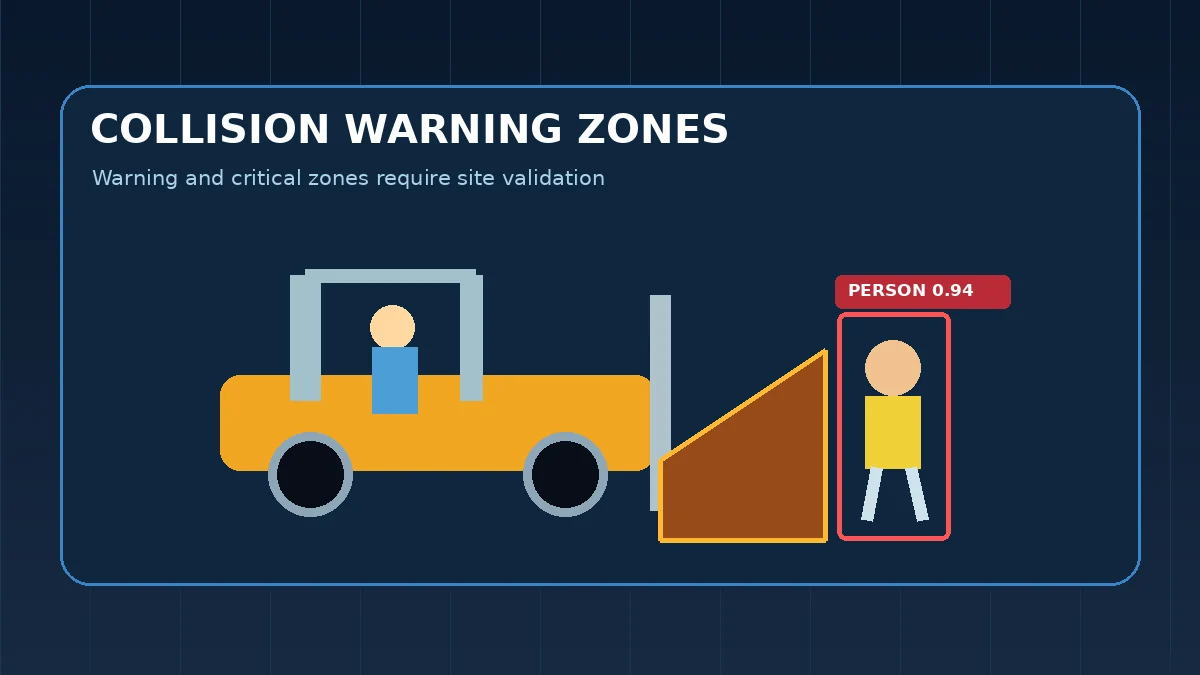
See the forklift AI camera guide for pedestrian detection, warning and auto-stop integration concepts.
Safety note: AI detection is not automatically a certified safety function
Industrial machine danger zones require appropriate guarding and safety engineering. OSHA's machine-guarding requirements describe guarding methods and require danger zones to be guarded. A general-purpose AI camera or software detector should therefore not automatically be treated as a certified replacement for safety-rated devices or controls.
If AI detection is connected to a stop or slow command, the complete architecture should be reviewed against the site's risk assessment, required safety performance and applicable standards. Validate fail states such as camera loss, network loss, software crash and output failure—not only successful person detection.
Frequently asked questions
Why does an AI pedestrian detection camera give false alarms?
Common causes include shadows, glare, insects near IR illumination, rain, partial occlusion, human-sized objects, poor camera angle, weak contrast, overly low confidence thresholds and ROI boundaries that include irrelevant motion.
How do I reduce false positives without missing real people?
Change one variable at a time. Start with scene quality and ROI, then tune confidence, tracking and confirmation timing while validating against recorded true-positive and false-positive clips.
Can a confirmation timer reduce AI camera false alarms?
Yes. A short confirmation period can reject one-frame detections, but it also adds response delay. Measure total camera-to-output latency and validate it against the system requirement.
Should I simply increase the confidence threshold?
No. It may reduce low-confidence false positives but can also suppress difficult real people. Use site recordings to find a threshold that improves separation between true and false detections.
When is model retraining necessary?
Retraining is justified when site-specific false positives or misses remain systematic after camera, image, ROI, stream and application logic have been corrected.
Primary technical sources
Bottom line
False alarms are rarely solved by one magic confidence value. Reliable pedestrian detection comes from treating the system as a complete chain: camera → image → detector → tracker → ROI → confirmation → event logic → PLC. Find which layer produced the wrong decision, change one thing, replay the same test set and measure the result.
If you are building the complete architecture rather than troubleshooting an existing deployment, start with the AI pedestrian detection system guide and then use this page as the commissioning and false-alarm checklist.