AI Pedestrian Detection + PLC Integration for Forklifts
Quick answer: an AI pedestrian-detection camera can send a hazard status to a PLC, but the PLC should combine that signal with vehicle state before deciding whether to warn, request slow-down or request a controlled stop. The camera is a sensing layer; the complete safety behaviour depends on the approved control architecture, vehicle interface, fault handling and site validation.
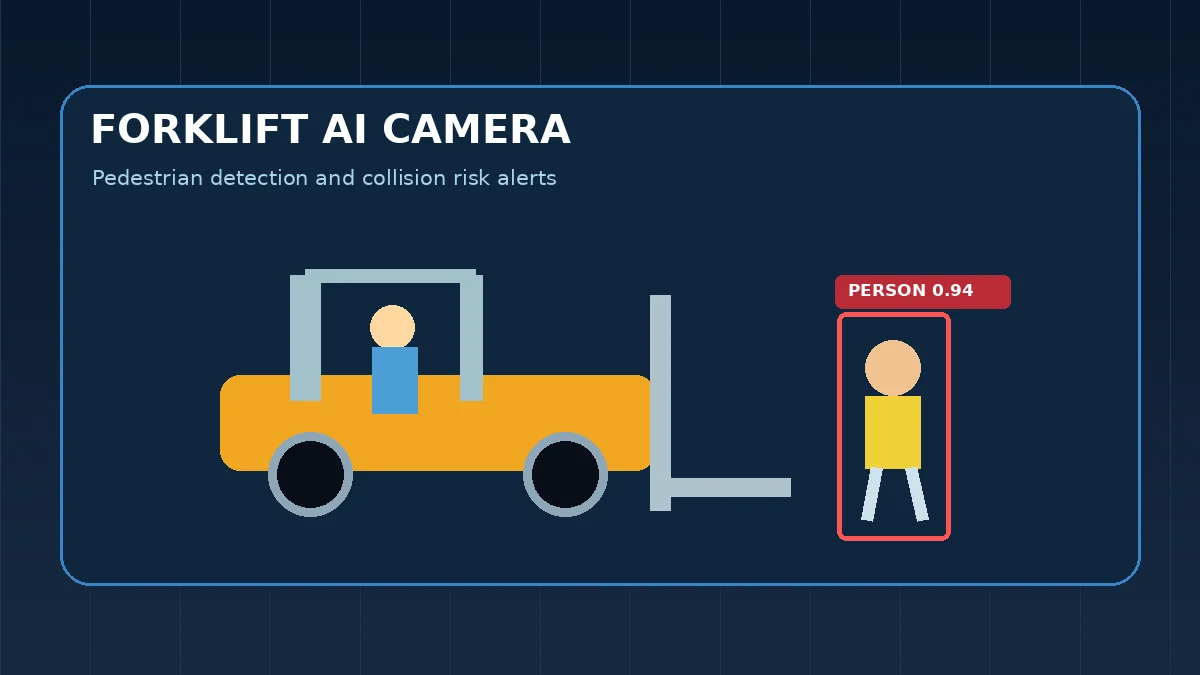
Google Search Console is already showing Xenors for practical queries around AI pedestrian detection and forklift AI cameras. A common next question is not “can the camera see a person?” but “how do I connect that detection to a PLC so the forklift warns, slows or stops correctly?” This guide focuses on that implementation layer.
1. Start with the control objective, not the camera
Before wiring anything, define exactly what the system must do in each operating state. A useful requirement table separates three actions:
| Condition | Typical response | Why |
|---|---|---|
| Person detected, forklift parked | Warning only or event logging | A stop request may be unnecessary if the vehicle is already stationary. |
| Person detected, forklift moving slowly | Warning + speed reduction request | Creates more reaction margin while avoiding abrupt behaviour. |
| Person detected in critical zone while moving | Warning + validated stop request | Highest-risk state; only use if the vehicle interface and risk assessment support it. |
| Camera or AI health fault | Fault indication + approved fallback | A failed sensor must not look like “no person detected.” |
This distinction matters because a raw PERSON_DETECTED = 1 bit is not enough to understand risk. A pedestrian behind a parked vehicle and a pedestrian entering the path of a moving truck are different control situations.
2. Recommended signal architecture
A robust system normally has four information groups:
- AI hazard outputs: person in warning zone, person in critical zone, camera blocked, stream offline, AI heartbeat.
- Vehicle state: forward/reverse direction, moving/not moving, drive-enable, speed or a speed band where available.
- PLC decision logic: combines hazard and vehicle state, applies timers and fault logic, then generates warning/slow/stop requests.
- Vehicle interface: approved relay, digital I/O, CAN, OEM input or other authorised interface that actually changes vehicle behaviour.
The cleanest separation is: AI detects → PLC decides → vehicle interface acts. That makes troubleshooting easier because the technician can identify whether a bad event came from vision, logic or the actuator interface.
3. Example I/O map
The actual addresses depend on the PLC and vehicle, but a simple conceptual map can look like this:
| Signal | Direction | Meaning |
|---|---|---|
| AI_WARN_ZONE | AI → PLC | Pedestrian present in outer warning zone |
| AI_CRITICAL_ZONE | AI → PLC | Pedestrian present in inner critical zone |
| AI_HEALTHY | AI → PLC | Camera, stream and inference heartbeat valid |
| GEAR_FORWARD | Forklift → PLC | Forward selected |
| GEAR_REVERSE | Forklift → PLC | Reverse selected |
| VEHICLE_MOVING | Forklift → PLC | Truck is moving |
| ALARM_OUT | PLC → alarm | Visual or audible warning |
| SLOW_REQUEST | PLC → approved interface | Request reduced speed |
| STOP_REQUEST | PLC → approved interface | Request controlled stop |
| AI_FAULT | PLC → HMI/alarm | Loss of camera/AI protection |
If the AI application runs on an industrial PC, Ethernet-based communication can be used for non-safety information. Where a safety function is claimed, do not assume that ordinary Ethernet or an ordinary PLC bit automatically becomes a safety-rated function. The required architecture depends on the machine, risk assessment and applicable safety design.
4. Example warning, slow and stop logic
A practical sequence is easier to validate when it is explicit:
IF NOT AI_HEALTHY:
    AI_FAULT = ON
    FOLLOW_APPROVED_FALLBACK()

ELSE IF VEHICLE_MOVING AND AI_CRITICAL_ZONE:
    ALARM_OUT = ON
    STOP_REQUEST = ON

ELSE IF VEHICLE_MOVING AND AI_WARN_ZONE:
    ALARM_OUT = ON
    SLOW_REQUEST = ON

ELSE IF AI_WARN_ZONE OR AI_CRITICAL_ZONE:
    ALARM_OUT = ON
    SLOW_REQUEST = OFF
    STOP_REQUEST = OFF

ELSE:
    NORMAL_OPERATION()
This is only conceptual logic. A production implementation should also handle direction, camera assignment, debounce/confirmation timers, latching rules, reset conditions, vehicle-specific stopping behaviour and diagnostic faults.
5. Direction-aware camera logic reduces false actions
On a three-camera forklift, a common layout is two front-facing cameras and one rear camera. It is usually wasteful to treat all cameras as equally critical in every direction. If the truck is moving forward, front detection deserves higher priority; if reversing, the rear camera becomes the primary path sensor.
A direction-aware rule can be:
- Forward + front critical-zone pedestrian: alarm + slow/stop request.
- Reverse + rear critical-zone pedestrian: alarm + slow/stop request.
- Parked + pedestrian: alarm or event only.
- Pedestrian on non-travel side: alert policy based on site risk, not an automatic stop by default.
This avoids a common commissioning problem where people standing beside a stationary forklift repeatedly trigger aggressive vehicle responses.
6. Use confirmation timers carefully
Computer-vision detections can flicker for one or two frames because of occlusion, glare, vibration or motion blur. A short confirmation timer can reduce nuisance events, but too much delay increases response time.
For each zone, measure the complete chain:
- camera exposure and frame interval,
- AI inference time,
- tracking or confirmation delay,
- network/PLC scan delay,
- output/interface delay,
- vehicle mechanical response.
The correct setting is not “2 seconds because it looks stable.” It must be checked against actual vehicle speed and stopping distance. A timer that is fine at walking speed may be unacceptable at a higher speed.
7. Heartbeat and stale-frame detection are mandatory engineering checks
One of the most dangerous software failure modes is a frozen frame that still looks valid to the application. The PLC should not receive “no pedestrian” forever just because the last inference result was clear.
The AI layer should expose at least:
- camera connected/disconnected,
- last frame age,
- inference loop heartbeat,
- model loaded/failed,
- communication link state,
- optional camera-blocked or visibility fault.
The PLC can then require a changing heartbeat or a fresh timestamp. If that health condition disappears, the system enters a documented fault state.
8. Do not confuse detection confidence with safety integrity
A model confidence such as 0.82 or 0.95 only describes the model's score for a particular detection. It does not certify the entire system. Real failures can come from:
- person hidden by a pallet or mast,
- camera glare or darkness,
- dirty lens,
- network loss,
- PC crash,
- PLC communication loss,
- incorrect zone calibration,
- vehicle interface failure,
- stopping distance longer than the configured zone.
That is why a factory acceptance test must validate the complete chain, not just draw bounding boxes on a monitor.
9. Commissioning checklist
Use a controlled test area and document every result. At minimum, test:
- pedestrian entering each zone from left, right and centre,
- partial occlusion behind racks, loads and vehicle structure,
- forward and reverse travel,
- stationary vehicle behaviour,
- different speeds,
- day/night or different warehouse lighting,
- reflective clothing and dark clothing,
- camera unplugged, network cable removed and AI PC restart,
- frozen or stale stream,
- PLC restart and communication recovery,
- false alarm cases such as posters, mannequins or distant people outside the travel path,
- warning latency, slow-down latency and stop distance where applicable.
Record video and PLC states together where possible. When a test fails, that combined evidence makes it much easier to decide whether to change the camera, model, zone, timer or vehicle logic.
10. PLC communication choices
For prototypes, simple digital I/O or relay outputs are easy to understand and isolate. For richer systems, industrial Ethernet can expose multiple zone states, camera health and diagnostics. The choice depends on the required reliability, the PLC family, available interfaces and whether the function is safety-related.
For example, PROFINET is widely used for industrial communications, but ordinary PROFINET data exchange and a safety-rated PROFIsafe function are not the same thing. Do not label a stop path “fail-safe” just because it uses an industrial network.
11. Where this fits with forklift safety controls
AI pedestrian detection should sit inside a broader traffic-safety strategy. OSHA guidance for powered industrial truck workplaces recommends separating pedestrians and lift trucks where practical, using walkways or barriers, posting traffic controls and speed limits, and warning pedestrians of forklift approach. Camera AI can add awareness, but it does not replace those controls.
Useful reference: OSHA forklift pedestrian traffic guidance.
For driverless industrial trucks, ISO 3691-4:2023 covers safety requirements and verification; ISO is also developing a newer revision. That standard is specifically for driverless industrial trucks and should not be misapplied as proof that a manually driven forklift AI retrofit is compliant.
Reference: ISO 3691-4:2023 overview.
12. Recommended implementation workflow
- Site survey: map travel paths, blind spots, speeds and pedestrian exposure.
- Define response matrix: decide what warning, slow and stop mean in each vehicle state.
- Choose camera positions: optimise visibility before tuning AI thresholds.
- Build AI health monitoring: stale frames and offline cameras must be visible to the PLC/HMI.
- Map PLC I/O: use named signals for zones, direction, motion and diagnostics.
- Integrate the vehicle interface: only through an approved method.
- Commission in stages: warning-only first, then any speed/stop function after validation.
- Measure actual response: record latency and stopping behaviour instead of relying on assumptions.
- Document fallback: define operation when AI protection is unavailable.
- Re-test after changes: model, camera, speed, tyre, floor or braking changes can affect the result.
13. Related Xenors guides
- Forklift AI Camera: Pedestrian Detection & Auto Stop Guide
- AI Pedestrian Detection System
- AI Pedestrian Detection False Alarms: Causes & Fixes
- PLC Basics: Inputs, Outputs and Ladder Logic
Frequently asked questions
Can an AI camera directly stop a forklift?
It should not be treated as a direct safety stop device by default. A stop function needs a vehicle-approved, risk-assessed control architecture with defined failure behaviour and validation.
Should the PLC receive only a pedestrian detected bit?
No. A stronger design also uses direction, motion or speed where available, plus AI health information. That allows the PLC to distinguish warning-only situations from higher-risk movement states.
What happens if the AI PC or camera goes offline?
The system should indicate loss of protection and follow the site's approved fallback behaviour. A fault must not silently become a clear/no-person state.
Can warning, slow-down and stop use different zones?
Yes. Separate zones are practical, but their distances must be derived from the real vehicle, speed, floor condition, response time and stopping behaviour.
Final takeaway
The most useful architecture is not “camera sees person, relay stops forklift.” It is a layered design in which AI provides hazard information, the PLC combines it with vehicle state, and an approved vehicle interface performs the response. Add heartbeat monitoring, stale-frame detection, direction-aware logic and a documented commissioning test, and the system becomes much easier to validate and maintain.
Safety note: this article is an engineering guide, not a certification. Any braking or motion-control modification should be reviewed against the specific truck manufacturer's requirements, the site's risk assessment and applicable safety standards.
Product: For a ready industrial solution with camera, control-box integration and ₹50,000 listed system price, see the Hesham AI Human Detection Safety Camera System.