Cybersecurity • Passwordless Login
Passkeys in 2026: How Passwordless Login Works and Why It Matters
Passwords are finally losing their monopoly on online identity. Passkeys use public-key cryptography and your device unlock method to sign you in without typing a reusable secret. Here is how they work, why they resist phishing, where the tradeoffs are, and how to start using them safely.
What Is a Passkey?
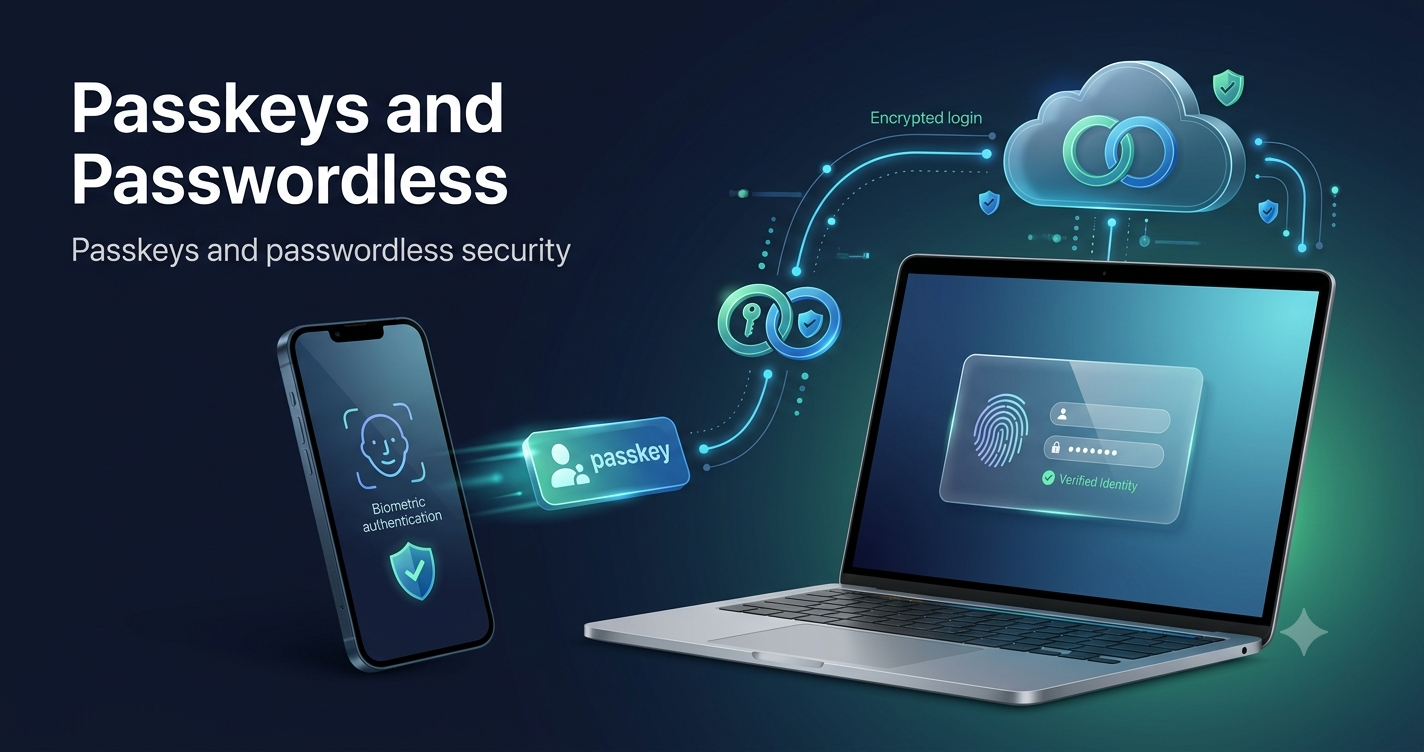
A passkey is a sign-in credential based on public-key cryptography. Instead of sending a password to a website, your device proves that it holds the correct private key for that account. You normally approve the sign-in using the same local method you already use to unlock your device, such as a fingerprint, face scan, PIN, pattern, or a compatible hardware security key.
The important detail is that your fingerprint or face is not the credential being sent to the website. The biometric check unlocks the passkey locally on your device. Google states that biometric data used for passkey sign-in stays on the device and is not shared with Google. FIDO describes passkeys as FIDO credentials built on asymmetric public-key cryptography.
Simple definition
A password is a secret you know and type. A passkey is a cryptographic credential your trusted device uses on your behalf.
Why Passkeys Are a Big Topic in 2026
Passkeys have moved from a niche security feature into mainstream use. The FIDO Alliance reported in May 2026 that an estimated 5 billion passkeys were in active use worldwide. Its consumer research covered 11,000 adults in ten countries and found that 90% were familiar with passkeys, 75% had enabled at least one, and 49% used passkeys regularly when available.
The shift is not limited to consumer accounts. The same FIDO research found that 68% of surveyed organizations had deployed, were piloting, or were rolling out passkeys for workforce authentication. Microsoft also announced that passkeys became the default phishing-resistant authentication method in Entra ID beginning September 1, 2026, with a broader transition away from Microsoft-provided SMS and voice authentication planned for 2027.
That combination makes passkeys especially relevant now: billions of credentials are already in use, major platforms support them, and enterprises are actively moving away from authentication methods that can be phished or intercepted.
How Passkeys Work
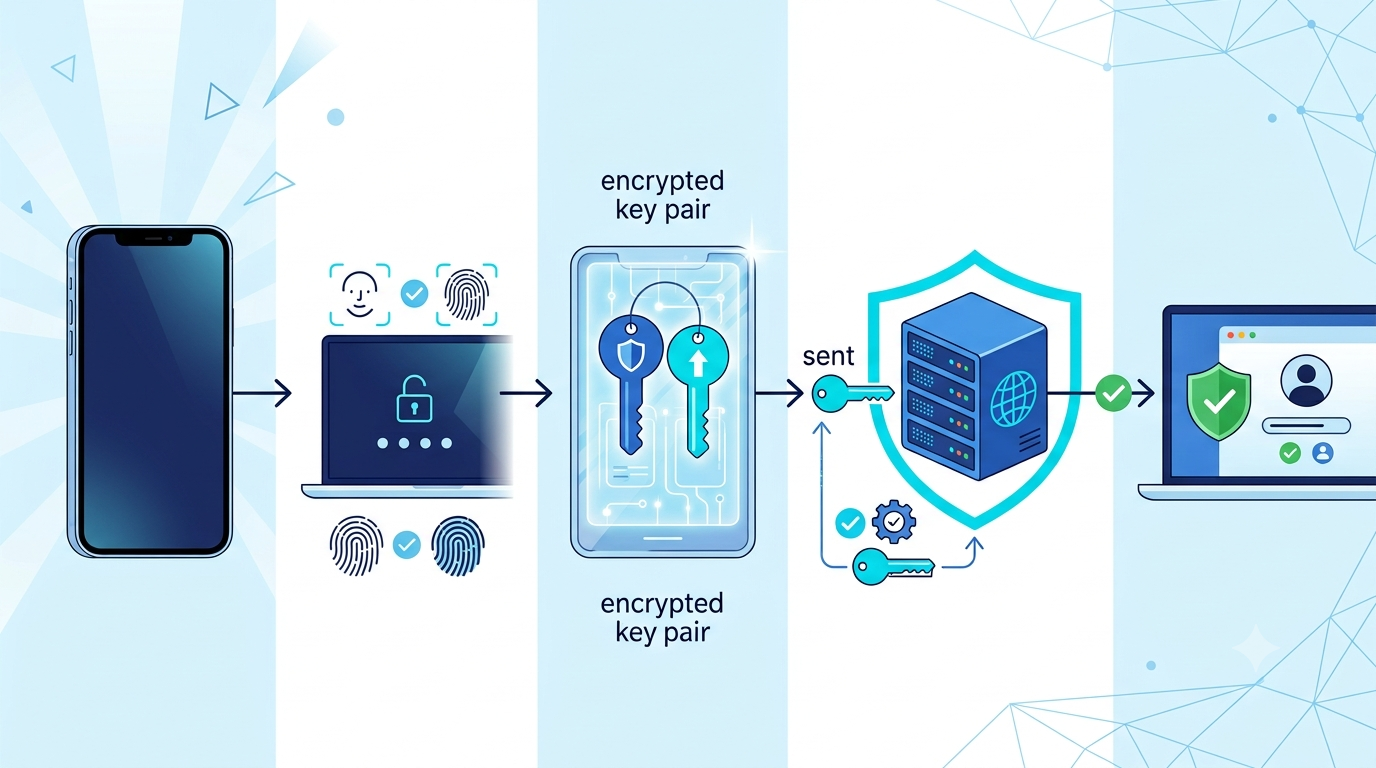
When you create a passkey for a website or app, your device generates a pair of cryptographic keys. The public key is registered with the service. The private key stays protected by your passkey provider or authenticator and is not sent to the service.
During sign-in, the website sends a cryptographic challenge. Your authenticator uses the private key to sign that challenge after you approve the request with your device unlock method. The website verifies the signature using the public key it already has. If the signature is valid and the request is for the legitimate site, access can be granted.
What the website stores
The service stores a public key rather than a password equivalent that can simply be typed into another site. This matters because traditional password databases are attractive targets. If password hashes are stolen and cracked, reused passwords can expose accounts elsewhere.
What your device keeps
The private key is protected by your authenticator or passkey provider. Depending on the setup, it may be stored on one device, on a hardware security key, or synchronized securely across trusted devices by a credential provider.
Why Passkeys Resist Phishing
Phishing works well against passwords because humans can be tricked into typing a password into a convincing fake website. A passkey changes that model. FIDO authentication is designed so the credential is associated with the legitimate relying party, and the private key is not revealed to a lookalike website.
Google describes passkeys as more secure against phishing because they cannot be copied, written down, or accidentally handed to a scammer in the same way a password can. This does not make every account risk disappear, but it removes one of the most common ways attackers steal reusable credentials.
Why this matters
If a fake login page asks for your password, you can type it. If the same fake page asks your authenticator for a passkey belonging to a different legitimate domain, the cryptographic origin checks are designed to prevent that credential from being used there.
Passkeys vs Passwords vs SMS Codes
| Feature | Password | SMS code | Passkey |
|---|---|---|---|
| Reusable secret | Yes | Temporary code | No typed reusable secret |
| Can be phished | Yes | Yes, through social engineering or proxy phishing | Designed to resist phishing |
| User must remember | Usually | No | No |
| Depends on telecom network | No | Yes | No |
| Uses public-key cryptography | No | No | Yes |
| Common user action | Type password | Enter code | Unlock device / approve credential |
SMS-based authentication was an important improvement over password-only sign-in, but it remains phishable and depends on phone-number delivery. Microsoft now explicitly positions passkeys as the default phishing-resistant method in Entra ID and is moving away from providing SMS and voice authentication natively.
Can Passkeys Sync Across Devices?
Yes. Many passkeys are synchronized through a passkey provider, such as a built-in operating system credential manager or a compatible third-party provider. FIDO says passkey syncing is end-to-end encrypted and helps make passkeys practical across multiple devices.
This means a person may create a passkey on one phone and later use a synchronized copy from another trusted device in the same credential ecosystem. The exact behavior depends on the operating system, browser, provider, account configuration, and whether the passkey is synced or device-bound.
Synced passkeys
Synced passkeys prioritize convenience and recovery. They can follow the user across trusted devices through the credential provider.
Device-bound passkeys and security keys
Some organizations prefer credentials tied to a specific device or hardware security key for higher-assurance scenarios. These can reduce dependence on cloud synchronization but may require more deliberate backup and recovery planning.
What Happens If You Lose Your Phone?
This is one of the most common questions about passwordless authentication. Losing a phone does not automatically mean losing every passkey forever. If your passkeys are synchronized by a credential provider, you may be able to restore access on another trusted device after recovering the provider account.
However, recovery design matters. You should keep account recovery information up to date and avoid creating a situation where a single lost device is the only path back into an important account. Organizations should also test recovery before removing older authentication methods.
Practical recovery rule
Before going fully passwordless on an important account, understand where the passkey is stored, whether it syncs, what recovery method the service supports, and what you will do if your main device is lost or damaged.
Are Passkeys the Same as Biometrics?
No. Biometrics are commonly used to unlock access to the passkey on your device, but the passkey itself is the cryptographic credential. The website does not need your fingerprint template or face data in order to verify the sign-in.
This distinction matters for privacy. Your face scan or fingerprint is generally evaluated locally by the device's secure authentication system. The site receives cryptographic proof that the correct credential was used, not your biometric data.
Passkeys for Businesses and Employees
For companies, passkeys can reduce exposure to credential phishing, password reuse, and password-reset workflows. The FIDO Alliance's 2026 workforce study reported that organizations deploying passkeys cited benefits including improved security confidence, faster logins, better employee satisfaction, fewer password-reset tickets, and reduced phishing-related incidents.
Businesses should still treat migration as an identity project rather than a button they simply switch on. Device ownership, recovery, help-desk processes, offboarding, contractor access, privileged accounts, shared workstations, and legacy systems all affect the deployment plan.
Good rollout sequence
- Identify high-risk and high-value accounts.
- Check device and browser compatibility.
- Choose synced or device-bound credentials based on risk.
- Pilot with a small group.
- Document recovery and lost-device procedures.
- Train users to recognize passkey prompts and avoid social-engineering attempts.
- Measure login success, help-desk volume, and security incidents before expanding.
How to Start Using Passkeys Safely
You do not need to migrate every account at once. Start with services you use frequently and that already offer passkey support. When creating a passkey, use a device you personally control. Google specifically warns users not to create passkeys on shared devices because anyone who can unlock that device may be able to access the account.
Passkey readiness checklist
Use this quick checklist before making passkeys your primary sign-in method.
Do Passkeys Eliminate Every Security Problem?
No. Passkeys greatly reduce several common authentication risks, especially credential phishing and password reuse, but attackers can still target account recovery, compromised devices, malicious software, social engineering, session tokens, support processes, and users themselves.
Security is strongest when passkeys are combined with secure devices, current software, careful recovery settings, least-privilege access, monitoring, and clear procedures for sensitive account changes. Passkeys improve the authentication layer; they do not make every other layer unnecessary.
Passkeys and the Future of Passwordless Login
The long-term importance of passkeys is not that they make login look futuristic. It is that they change the security model from a reusable secret that users must protect into a cryptographic credential that the device can protect for them.
That shift is already visible at global scale. FIDO estimates billions of passkeys are active, major browsers and operating systems support the standards, and enterprise identity platforms are increasingly promoting phishing-resistant authentication by default.
Passwords will not disappear overnight because websites, legacy systems, recovery workflows, and user habits change slowly. But the direction is clear: more services are moving toward sign-in experiences where users prove possession of a trusted device and unlock a cryptographic credential instead of typing a secret that can be stolen and reused.
Frequently Asked Questions About Passkeys
What is a passkey?
A passkey is a phishing-resistant cryptographic credential used to sign in without typing a traditional password. You usually unlock it with a fingerprint, face scan, PIN, or security key.
Are passkeys safer than passwords?
Passkeys are designed to resist phishing and do not expose a reusable password to the website or to a fake login page. That makes them significantly stronger against many common credential attacks.
Do passkeys replace two-factor authentication?
In some systems, a passkey can satisfy both possession and user-verification requirements. The exact sign-in policy depends on the service. Google, for example, says a passkey can bypass the second authentication step because it verifies possession of the device and local user verification.
Can I use passkeys on multiple devices?
Yes, if your passkey provider supports secure synchronization. You can also create separate passkeys on multiple devices or use a compatible hardware security key.
What if my phone is stolen?
Protect the device with a strong screen lock, use remote device security features where available, and follow the account provider's recovery process. Synced passkeys may be recoverable on another trusted device after account recovery.
Can a hacker copy my passkey from a phishing page?
Passkeys are designed so the private key is not revealed to the website and the credential is bound to the legitimate service, which makes traditional phishing-style credential theft much harder.
Sources and Further Reading
- FIDO Alliance — State of Passkeys 2026
- FIDO Alliance — Passkeys overview and technical guidance
- Google Account Help — Sign in with a passkey instead of a password
- Microsoft Security Blog — Passkeys as default authentication in Entra ID
Editorial note: This article is educational. Product support, recovery options, and enterprise authentication policies can change, so verify current documentation from the provider you use.