What are OpenAI Dots?
OpenAI describes Dots as always-on agents: instead of waiting for a fresh prompt every time, a Dot can retain context about your goals, continue work in the background, and bring completed work or decisions back to you. The key shift is persistence. A normal chat is usually reactive—you ask, the model answers, and the interaction pauses. A Dot is designed around ongoing work.
A Dot has access to its own cloud computer, its own browser, and the apps you choose to connect. That means the agent can move beyond generating text. It can research information, work with files and connected services, create drafts, coordinate tasks, and use tools that are relevant to the goal you gave it. OpenAI says Dots are powered by GPT-6 Astra and can work toward goals 24/7.
The product also carries context across channels. You can interact with a Dot from ChatGPT on desktop, web and mobile, while Slack and Microsoft Teams are supported communication channels. OpenAI has also said texting support is planned. The important idea is that the same ongoing agent can stay attached to a project while the conversation moves between surfaces.
How OpenAI Dots work
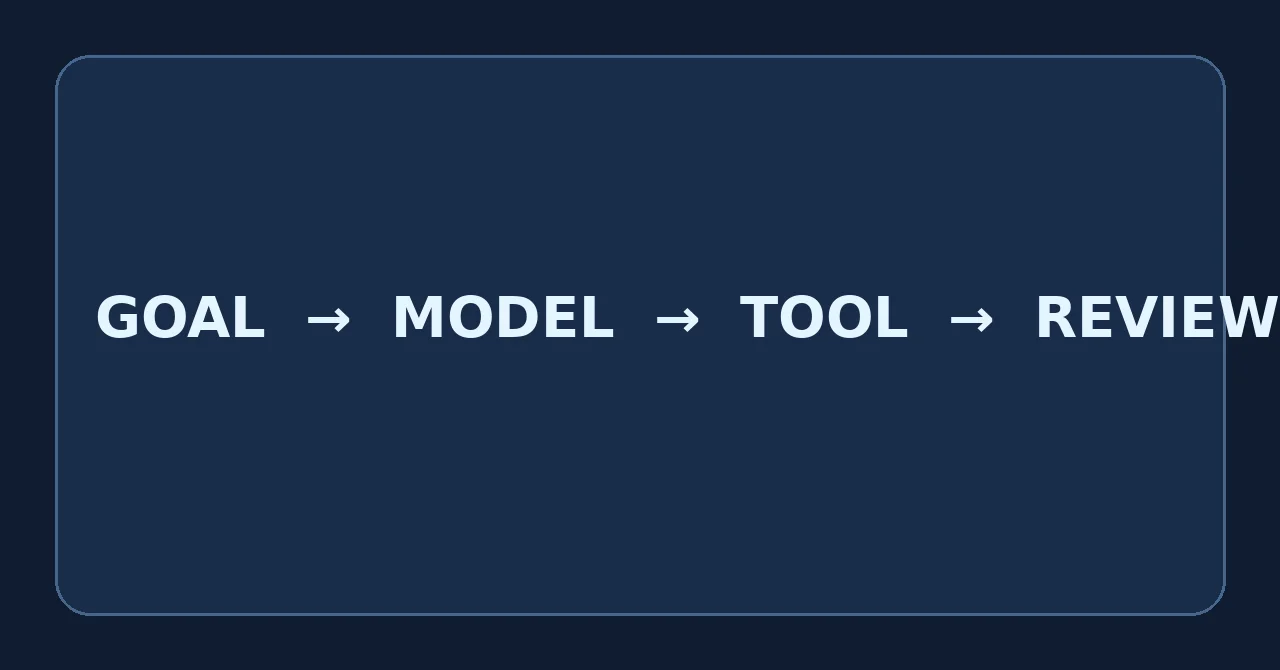
The easiest way to understand a Dot is to separate its operation into five layers: goal, context, tools, execution, and review. You give the Dot a goal; it combines that goal with relevant ChatGPT memory and the context you share; it uses its cloud computer, browser, connected apps and other tools; it makes progress in separate tasks; and it returns work for your review or asks for approval when needed.
1. You provide a goal, not only a one-off prompt
You can ask for a specific task, but Dots are more interesting when the work has continuity: maintain a launch plan, watch an evolving project, prepare recurring research, improve an application over time, or coordinate outputs across tools. OpenAI's Help Center describes giving a Dot a goal and letting it figure out what needs to happen next while coming back to you for decisions that need your judgment.
2. The Dot works on its own cloud computer
Each Dot has a separate cloud computer. This matters for both capability and isolation. It can use a browser and tools in that environment without automatically having access to your local computer. Local-computer access is optional and starts turned off. If you intentionally connect a computer through the ChatGPT desktop app, the Dot can then work with that machine within the permissions you grant.
3. Connected apps provide working context
Dots can use the apps you connect through ChatGPT's app/plugin ecosystem. OpenAI says the ecosystem can connect to more than 4,000 apps. The exact value is not the headline by itself; the useful part is that the agent can work where project data already lives rather than forcing you to copy everything into one chat window.
4. Work continues between conversations
A Dot can keep multiple projects moving and can message you with progress, questions, or decisions that need your input. In the profile, OpenAI exposes task views such as In progress, Scheduled and Completed, which makes the experience closer to supervising an assistant than managing separate chat threads.
5. Consequential actions can require approval
Dots are not intended to act with unlimited authority. OpenAI describes built-in rules and Custom Rules that can allow actions, require approval, or block actions. Auto-review checks certain actions against instructions, safety requirements and configured rules. Some sensitive operations remain with the user.

Key OpenAI Dots features
Dots combine several capabilities that already exist separately in AI products, but the product's value comes from joining them into one persistent workflow.
| Feature | What it means in practice | Why it matters |
|---|---|---|
| Always-on agent | Can continue progress between conversations. | Useful for work that unfolds over hours, days or longer. |
| GPT-6 Astra | Uses OpenAI's frontier model for complex multi-step work. | Supports research, coding, planning and tool use in one agent. |
| Cloud computer | Has a separate machine and browser for tasks. | Allows practical execution without default access to your personal device. |
| Connected apps | Works with services you explicitly connect. | Reduces copy-paste and lets the agent operate closer to real workflows. |
| Persistent context | Learns from feedback and maintains ongoing project context. | Less need to re-explain standards and goals every session. |
| Activity view | Lets you see background work and task status. | Makes long-running agent work inspectable. |
| Custom Rules | Configure allowed, approval-required, and blocked actions. | Adds explicit boundaries around autonomy. |
| Cross-channel access | ChatGPT, Slack and Teams; mobile messaging/calls are supported through ChatGPT. | The project can follow you rather than staying inside one browser tab. |
OpenAI Dots vs regular ChatGPT
Dots are part of ChatGPT, so the comparison is not “one company versus another.” The difference is the interaction model. A normal ChatGPT conversation is excellent for immediate questions, writing, analysis and one-session tasks. A Dot is designed for a relationship with an ongoing body of work.
| Area | Regular ChatGPT conversation | OpenAI Dot |
|---|---|---|
| Typical interaction | Prompt → response | Goal → ongoing progress → review |
| Persistence | Conversation-centered | Project/goal-centered |
| Background work | Depends on task/product mode | Core design of the Dot experience |
| Computer | Varies by mode/tool | Own cloud computer |
| Proactive work | Usually user-triggered | Can perform proactive research within safeguards |
| Controls | Standard product permissions | Additional rules, approvals, Activity View and auto-review |
That makes Dots particularly relevant when the cost of repeatedly re-establishing context is high. A one-off explanation of a Python error is still a normal chat problem. Maintaining a release, tracking feedback, updating tests and preparing PRs as issues arrive is closer to a Dot-shaped problem.
Real-world OpenAI Dots use cases
OpenAI's launch examples are useful because they show the product's intended unit of work: not a single generated answer, but a workflow that changes over time.
Software development
A Dot can follow incoming customer feedback, group recurring issues, scope smaller fixes, build and test changes, and return complete work for review. Developers can keep attention on larger features while the agent handles well-bounded maintenance work.
Product launches
When positioning, requirements or product scope change, a Dot can revisit launch plans and connected materials, draft revisions, and flag areas where human judgment is needed. The advantage is not merely faster copywriting—it is maintaining consistency across a moving launch.
Research and analysis
For a scientist or analyst, an ongoing agent can rerun analyses as new evidence arrives, investigate surprising results, refresh figures, and update explanatory material. Human review remains important, particularly when findings influence real decisions.
Sales and proposals
An agent can compare customer requirements with product information, help build proofs of concept, track unresolved technical questions, and keep a proposal aligned as new test results arrive.
Content production
A creator can use a Dot to turn new transcripts into show notes, clips or social drafts, then propagate approved edits across the content set. Over time, feedback can help the Dot better match the creator's standards.
Personal administration
OpenAI cites an early tester whose Dot noticed a forgotten invoice, prepared it, and sent it after approval. That example captures the design goal: recognize useful follow-up work, prepare it, and involve the user at the consequential step.
Apps, plugins and connected services
OpenAI says Dots can connect through an ecosystem of more than 4,000 apps. The agent's access is permission-based: you choose the apps it can access through existing ChatGPT app controls. This is important because “can use apps” does not mean “can automatically access everything in your accounts.”
For proactive research performed when you are not actively working with the Dot, OpenAI says the agent uses connected-app tools that are restricted to read-only behavior. In that mode it cannot send messages, change app content, or control your browser or computer. A separate task can have broader capabilities when you explicitly grant them.
Dots can also create tasks in Codex cloud environments if you have already created the relevant environment, and local computer access can enable Work or Codex tasks and local skills. This makes the product relevant to both knowledge workflows and developer workflows.
Privacy, approvals and control
Always-on agents create a different trust problem from chatbots. The question is not only whether the model generated a correct sentence; it is whether an agent had the right authority to take an action. OpenAI's Dots design therefore separates permission, review and sensitive actions.
Cloud computer isolation
Your Dot's cloud computer is separate from your personal computer unless you deliberately connect a local machine. That separation reduces the default scope of what the agent can reach.
Saved credentials
For supported websites, Dots can use saved passwords without exposing those passwords directly to the model, according to OpenAI's launch materials.
Custom Rules
You can define whether particular actions are allowed automatically, should ask for approval, or are blocked. This matters for workflows where reading information is low risk but publishing, sending or purchasing requires explicit confirmation.
Auto-review
OpenAI says auto-review evaluates actions that could affect accounts or share information against your instructions, Custom Rules and safety requirements. Depending on the action, work can proceed, pause for approval, or require the user to perform it.
Training and workspace data
OpenAI states that content from ChatGPT Business, Enterprise and Edu workspaces is not used to improve its models by default. On personal plans, users can control whether eligible conversations and work are used to improve models. OpenAI also says it does not train directly on proactive research or a Dot's private notes to itself, though information can become part of an eligible task depending on settings.
None of these controls remove the need for human review. OpenAI explicitly warns that Dots can make mistakes, so consequential output—financial commitments, production changes, messages sent externally, account changes or other high-impact actions—should be checked.
OpenAI Dots availability and plans
Dots are rolling out gradually, so availability can differ even between users on the same plan. OpenAI's current Help Center says Pro users aged 18 and older can receive access in eligible markets outside the European Economic Area, Switzerland and the United Kingdom. Business Premium availability depends on supported regions and workspace eligibility. Enterprise customers, including Edu and Healthcare, can try the beta when an administrator enables it; Enterprise beta access begins turned off by default.
The first Dot is included for Pro and Business Premium users at no extra cost, according to OpenAI's current launch information. Plans include an allowance for deeper work, and OpenAI has said additional Dots and different levels of throughput are planned for the future.
If you do not see the feature yet, that does not necessarily mean your account is ineligible. OpenAI says rollout is gradual and access can take several days to appear.
How to get started with OpenAI Dots
- Use the intended ChatGPT account and workspace on desktop web or the desktop app.
- Open the Dots area and create your first Dot when the feature is available to your account.
- Give the Dot a clear goal rather than a vague “help me with everything” instruction.
- Connect only the apps the project actually needs.
- Review the default permissions and create Custom Rules for actions that should require approval.
- Start with a bounded project where success is easy to evaluate.
- Inspect Activity View and the Dot's computer so you understand how it is working.
- Give concrete feedback when the output misses your standards; that feedback is part of how the Dot adapts to your working style.
For example, instead of “help with my website,” a stronger goal would be: “Track issues reported by customers, group duplicates, propose fixes for low-risk bugs, run the test suite, and prepare a short review packet. Never merge or deploy without my approval.” The second instruction defines outcome, scope and authority.
Limitations and risks to understand
Dots are powerful, but “always-on” should not be confused with infallible or fully autonomous. Several limits are important.
- Agents can still make mistakes. Multi-step work compounds small errors if they are not detected.
- Connected data can be sensitive. Grant only the access a project needs.
- Web content can contain malicious instructions. OpenAI describes safeguards for prompt-injection-style risks, but no agentic browser should be treated as perfect.
- Availability is limited and changing. Features, supported markets and quotas can evolve during rollout.
- Approval design matters. A workflow is only as safe as the boundaries around actions that can affect accounts, external users or money.
- Human judgment remains essential. A Dot can prepare, investigate and execute within boundaries; responsibility for important decisions still belongs to the user or organization.
Why OpenAI Dots matter for the future of AI agents
The bigger idea behind Dots is that the unit of interaction with AI may be moving from a prompt to an ongoing relationship with a goal-oriented agent. In that model, the user spends less time translating every step into instructions and more time setting direction, permissions and quality standards.
This changes software design as well. Applications may increasingly expose structured permissions and tools to agents, organizations may provision specialist agents with defined responsibilities, and teams may have to design “approval architecture” alongside traditional access control. OpenAI is already previewing specialist Dots with their own identity, enterprise access management and deeper integrations with systems of record.
It also makes memory and feedback more important. An agent that works repeatedly for one person can become useful not only because the base model improves, but because it understands how that person evaluates good work. That creates a potential productivity advantage, but also increases the need for transparent controls, easy resets and clear boundaries.

Frequently asked questions
What is OpenAI Dots?
OpenAI Dots are always-on AI agents in ChatGPT. A Dot can maintain project context, use its own cloud computer and browser, work with connected apps, and continue making progress between conversations.
What model powers OpenAI Dots?
OpenAI says Dots are powered by GPT-6 Astra.
Can an OpenAI Dot work while I am away?
Yes. Background work and proactive research are core parts of the product. The agent can continue tasks and send progress, questions or decisions back to you, subject to configured permissions and safeguards.
Can a Dot access my computer?
Not by default. Every Dot has its own cloud computer. Local-computer access is optional, begins turned off, and must be explicitly enabled through the ChatGPT desktop app on that computer.
Can a Dot send messages or change my connected apps automatically?
It depends on the task and permissions. Proactive research uses read-only connected-app tools. Other tasks can have broader capabilities, but actions can be gated by built-in rules, Custom Rules, auto-review and explicit approvals.
Is OpenAI Dots available to everyone?
No. The feature is rolling out gradually. Current access includes eligible Pro users, Business Premium users in supported regions, and Enterprise beta access when enabled by an administrator.
What is the difference between a Dot and an AI automation?
A simple automation usually follows a predefined trigger and action. A Dot is designed to reason about an evolving goal, use several tools, maintain context, decide intermediate steps and ask for judgment when required.
Is OpenAI Dots the same as ChatGPT Work?
No. They can work together. A Dot can create or manage tasks in ChatGPT Work, while the Dot itself is the persistent agent that maintains goals, context and background progress.
Key takeaways
- OpenAI introduced Dots on September 29, 2026.
- Dots are powered by GPT-6 Astra and have their own cloud computer and browser.
- The defining feature is persistence: the agent can keep working toward ongoing goals between conversations.
- Connected apps, rules, approvals and Activity View turn the product into more than a chatbot.
- Dots are best suited to evolving workflows where context, tools and review matter.
- Rollout remains gradual, and availability depends on plan, market and workspace eligibility.
- Important work still needs human review because agents can make mistakes.
This article reflects official information available on October 23, 2026. Dots are in active rollout, so plan eligibility, quotas and capabilities can change.