Xenors
YOLO Object Detection Tutorial in Python
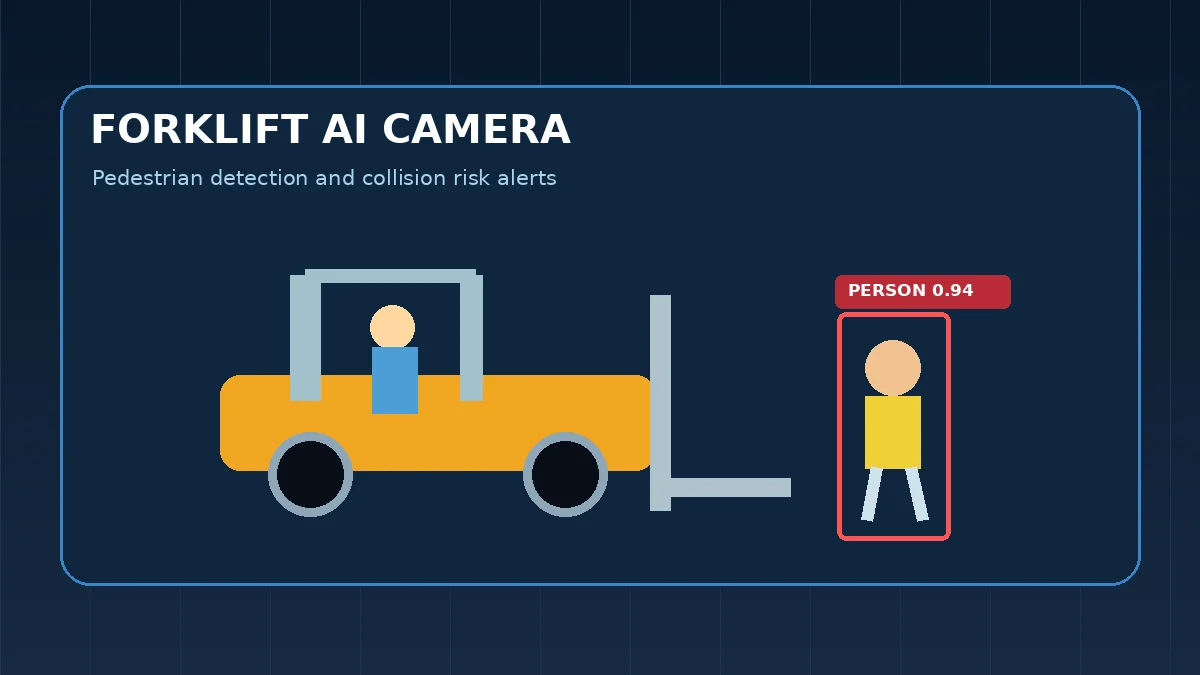
YOLO (You Only Look Once) predicts boxes and classes in a single forward pass, which is why it is the default choice for real-time detection. You will install it, run detection, and train on your own labels.

How YOLO detects objects
Older detectors proposed regions first and classified them second. YOLO treats detection as one regression problem: the network outputs bounding boxes, confidence and class scores directly. Non-maximum suppression then removes overlapping duplicates, so only the best box per object remains.
| Term | Meaning |
|---|---|
| IoU | Overlap between predicted and true box |
| Confidence | Probability that a box contains an object |
| NMS | Removes duplicate overlapping boxes |
| mAP50-95 | Mean average precision across IoU thresholds |
Install and run detection
The Ultralytics package bundles models, training and export. The nano model is small enough for CPUs and a good first test.
# pip install ultralytics
from ultralytics import YOLO

model = YOLO("yolov8n.pt")          # downloads weights on first run
results = model("street.jpg")       # list of Results objects
r = results[0]
for box in r.boxes:
    cls = r.names[int(box.cls)]
    print(cls, round(float(box.conf), 2), box.xyxy[0].tolist())
r.save("street_detected.jpg")
Real-time detection from a webcam
Stream frames with OpenCV and let YOLO draw the boxes. Press q to quit.
import cv2
from ultralytics import YOLO

model = YOLO("yolov8n.pt")
cap = cv2.VideoCapture(0)
while cap.isOpened():
    ok, frame = cap.read()
    if not ok:
        break
    annotated = model(frame, conf=0.4, verbose=False)[0].plot()
    cv2.imshow("YOLO", annotated)
    if cv2.waitKey(1) & 0xFF == ord("q"):
        break
cap.release()
cv2.destroyAllWindows()
Train YOLO on a custom dataset
Label images in YOLO format (one .txt file per image with class x_center y_center width height, all normalised). Then describe the dataset in a YAML file and fine-tune from pretrained weights.
# data.yaml
# path: datasets/helmets
# train: images/train
# val: images/val
# names:
#   0: helmet
#   1: no_helmet

from ultralytics import YOLO

model = YOLO("yolov8n.pt")
model.train(data="data.yaml", epochs=50, imgsz=640, batch=16)
metrics = model.val()
print("mAP50-95:", metrics.box.map)
model.export(format="onnx")
Fixing common problems
Low recall usually means too few labelled examples or a confidence threshold that is too high. Many false positives suggest background images are missing from training. Always compare train and validation loss: if validation worsens while training improves, add data or augmentation instead of training longer.
Hands-on practice
Run the examples in the downloadable Jupyter notebook. The extra checks below focus on mistakes that appear in real projects, not just syntax.
Run inference and inspect detections
from ultralytics import YOLO
model=YOLO('yolo11n.pt')
r=model('image.jpg',verbose=False)[0]
print(len(r.boxes))
print(r.boxes.conf[:3].cpu().numpy())
<number of detections> [confidence values]
Inspect confidence and class distribution before changing thresholds.
Compute IoU for two boxes
def iou(a,b):
    x1,y1=max(a[0],b[0]),max(a[1],b[1]); x2,y2=min(a[2],b[2]),min(a[3],b[3])
    inter=max(0,x2-x1)*max(0,y2-y1)
    aa=(a[2]-a[0])*(a[3]-a[1]); bb=(b[2]-b[0])*(b[3]-b[1])
    return inter/(aa+bb-inter)
print(round(iou([0,0,10,10],[5,5,15,15]),3))
0.143
IoU is the basis of matching predictions to ground-truth boxes during evaluation.
Self-check
- Can you explain why the first practice result is trustworthy rather than just plausible?
- What would you monitor or test before using this YOLO Detection workflow in production?
- Which assumption in the example would break first on a larger or messier dataset?
Frequently asked questions
Is YOLO good for real-time detection?
Yes. Small YOLO models run at real-time speeds on a modern GPU and often on a CPU at reduced resolution.
How many images do I need for a custom YOLO model?
A few hundred well-labelled images per class can give a usable baseline when fine-tuning pretrained weights. More varied data improves results.
What does mAP mean?
Mean average precision summarises detection quality across classes and IoU thresholds. Higher is better.
Primary references
Use these official sources when exact syntax, defaults or definitions matter beyond the examples here.